Welcome Message
The Welcome Message is a message sent to end users that subscribe to receive messages, when end users sign up through the sign up page, and is the final message received when an end user opts into messaging by texting your CrowdConversations number and creating a new contact. This welcome message also serves as a check of the phone number as you will then be provided with a status message for the phone numbers within the account showing them as either reachable or unreachable.
Also, welcome messages can be scheduled on a daily, weekly, or monthly basis.
A popup message will display asking to confirm sending the welcome messages. This popup will also display the number of recipients to receive the message.
Edit or View the Welcome Message
1. Click on the account logo on the top righthand side of the page to display a dropdown menu and select Accounts.
3. Select Confirm to send the welcome message.
Schedule the Welcome Message
To view scheduled welcome messages and create new ones, navigate to the icon in the top right to access account options and select Scheduled Messages.
.png)
This will open the following page that will display all of the welcome messages currently scheduled. To create a new scheduled welcome messages, select New Scheduled Message.
.png)
When creating a new scheduled welcome message, please note that the welcome message will need to be toggled ON for this message to send successfully.
You will also notice that there are 3 frequency options for scheduling - daily, weekly, and monthly. Some examples of each of these options can be seen below.
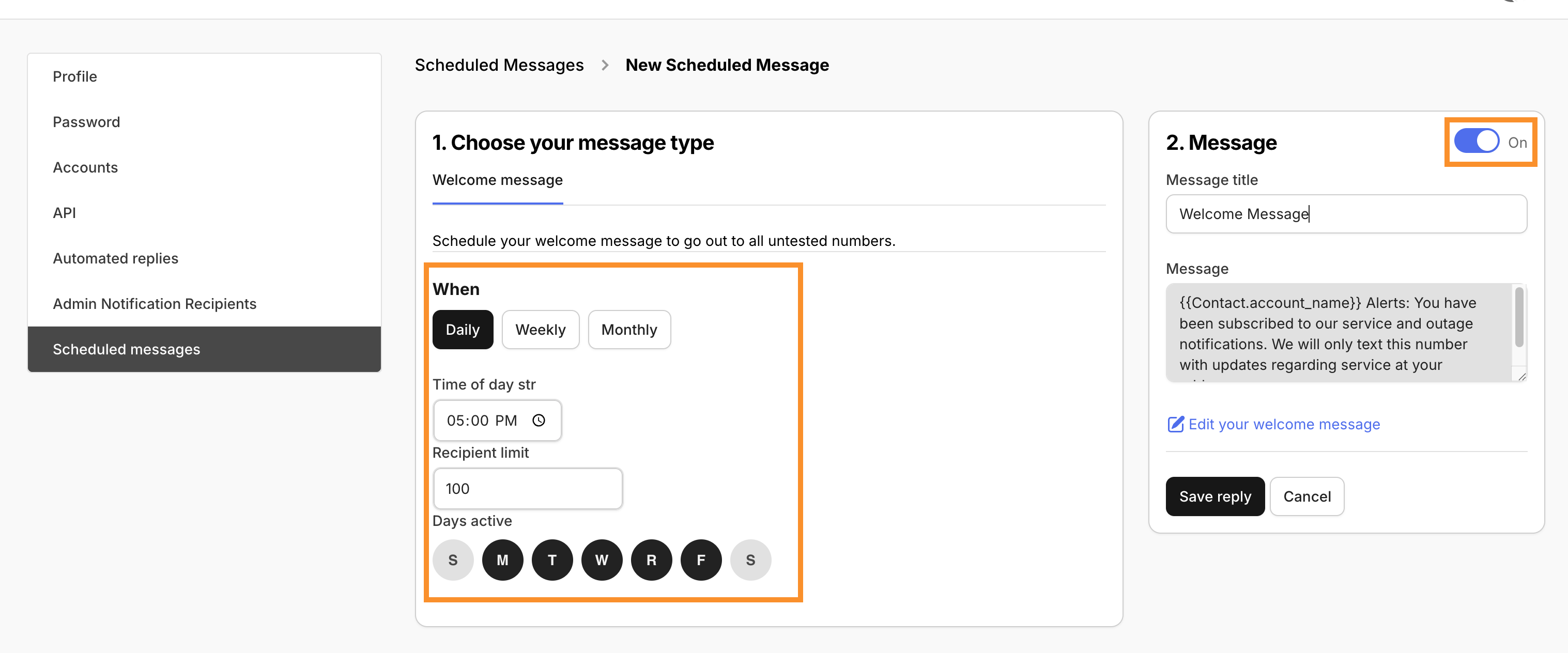
The following example of daily scheduling shows a welcome message that is scheduled to be sent daily, on weekdays only, at 5:00 PM, and will only be sent to 100 recipients per day.
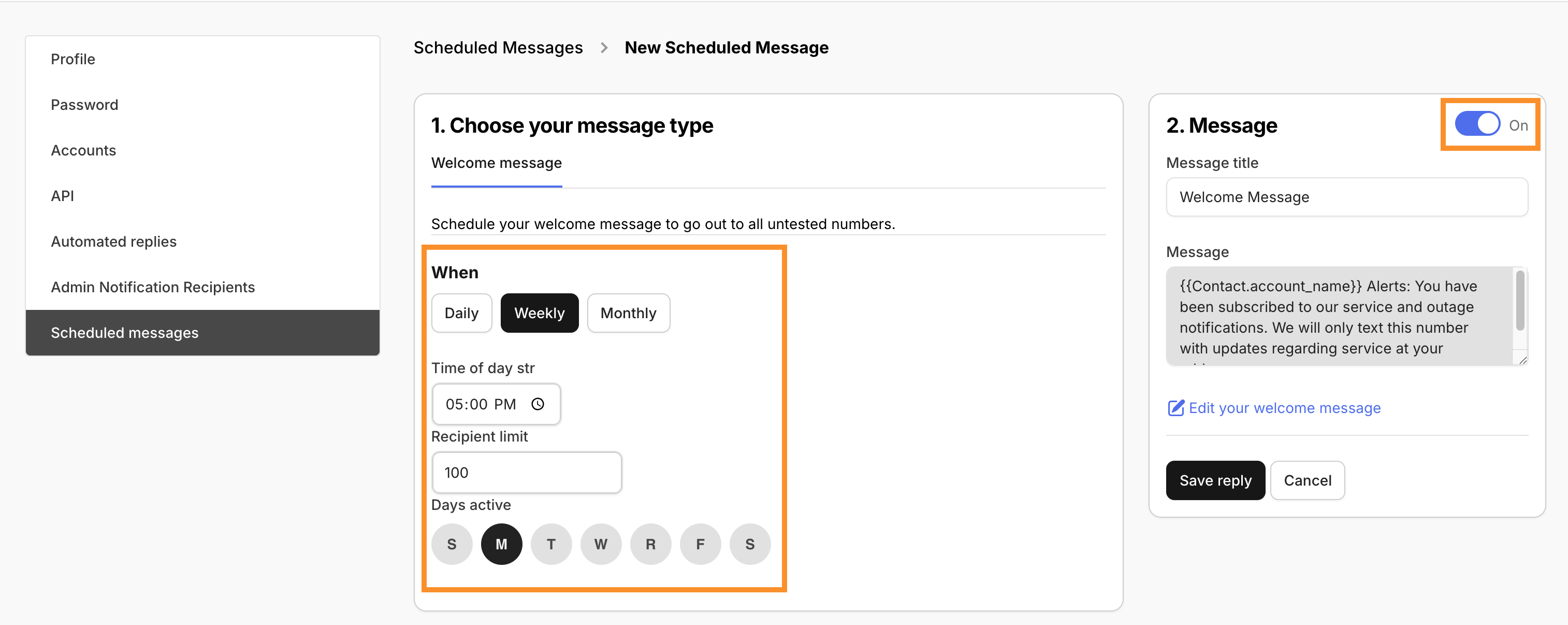
The following example of weekly scheduling shows a welcome message that is scheduled to be sent weekly, on Mondays only, at 5:00 PM, and also with a limit of 100 recipients that will receive this message weekly.
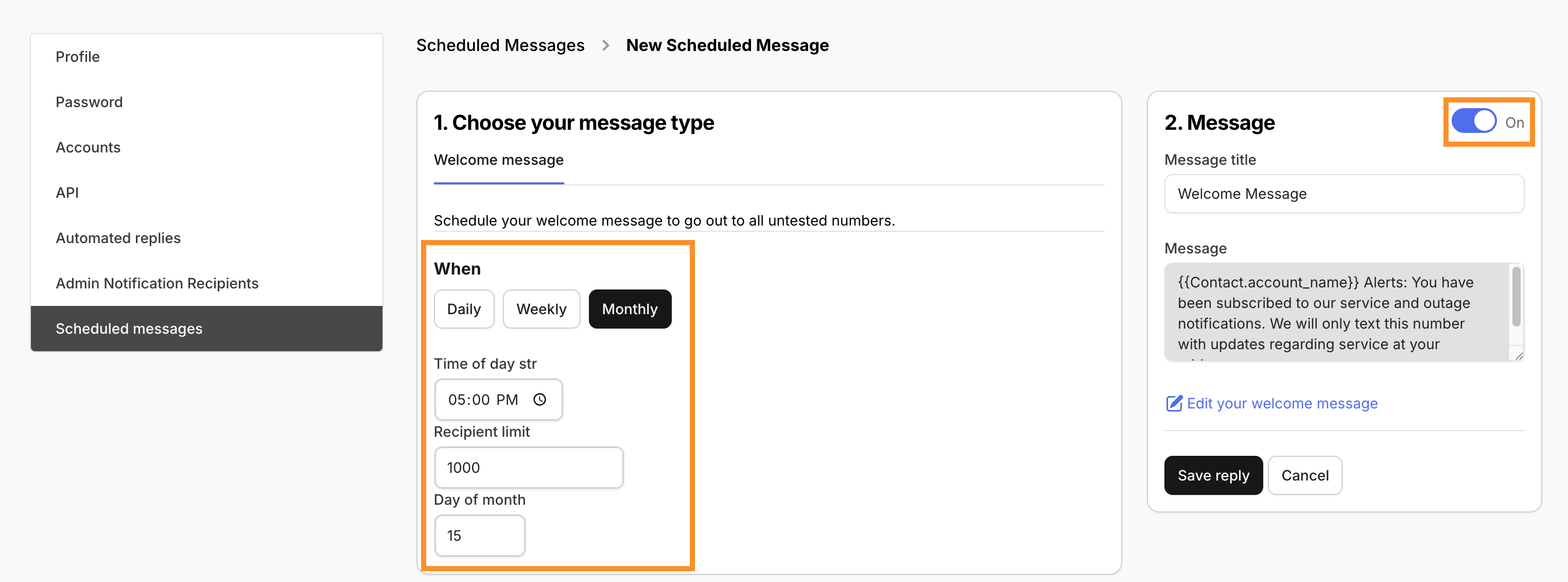
The following example of a monthly scheduling shows a welcome message that is scheduled to be sent monthly, on the 15th day of the month, at 5:00 PM, and with a limit of 1000 recipients that will receive this message.