Navigating the CrowdConversations Dashboard
Account Settings
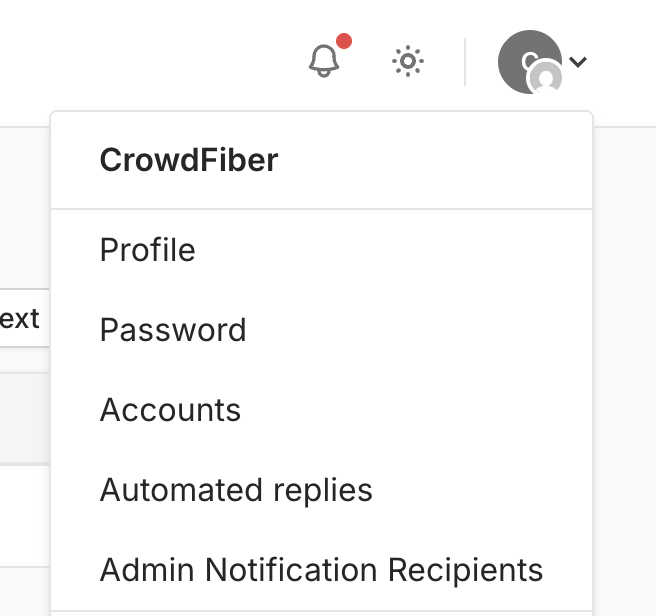
Account settings may be accessed by navigating to the top righthand corner of the screen and will display a dropdown list containing the following options:
- Profile
- Password
- Accounts
- Automated replies
- Admin Notification Recipients
Text Messages
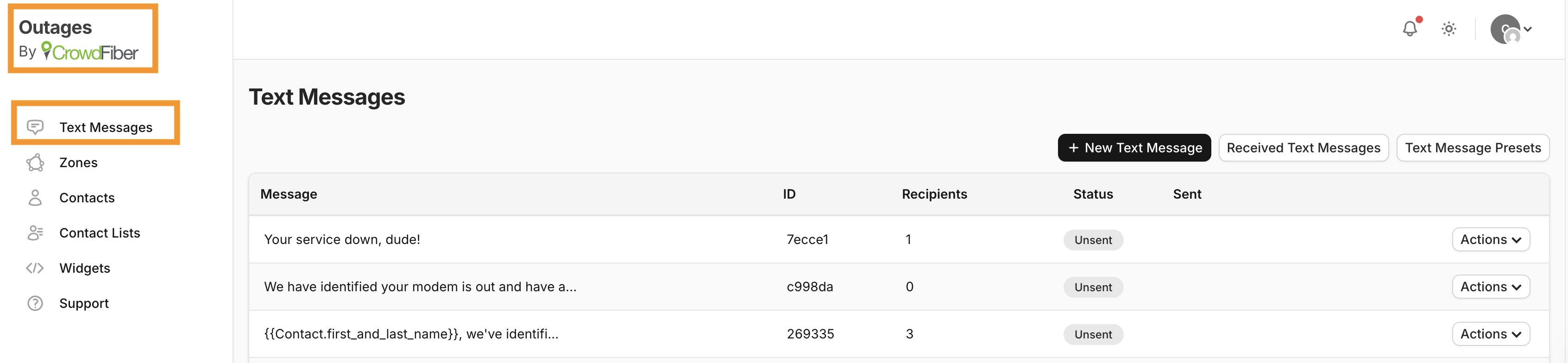
After logging into your CrowdConversations account, the Text Messages screen will be displayed. On this page you can:
- View previously sent messages on this page.
OR
- Create a New Text Message
- View Received Text Messages
- Set Text Message Presets
To navigate back to this page at any time, you may select the CrowdConversations icon in the top lefthand corner of the page or the Text Messages icon on the lefthand menu.
Click here for a more in-depth overview on sending Text Messages!
Zones
On the Zones page, a zone index is displayed along with a map with points displaying contacts. The following menu options are displayed:
- New Zone
- Import Zones
- Export Zones to CSV
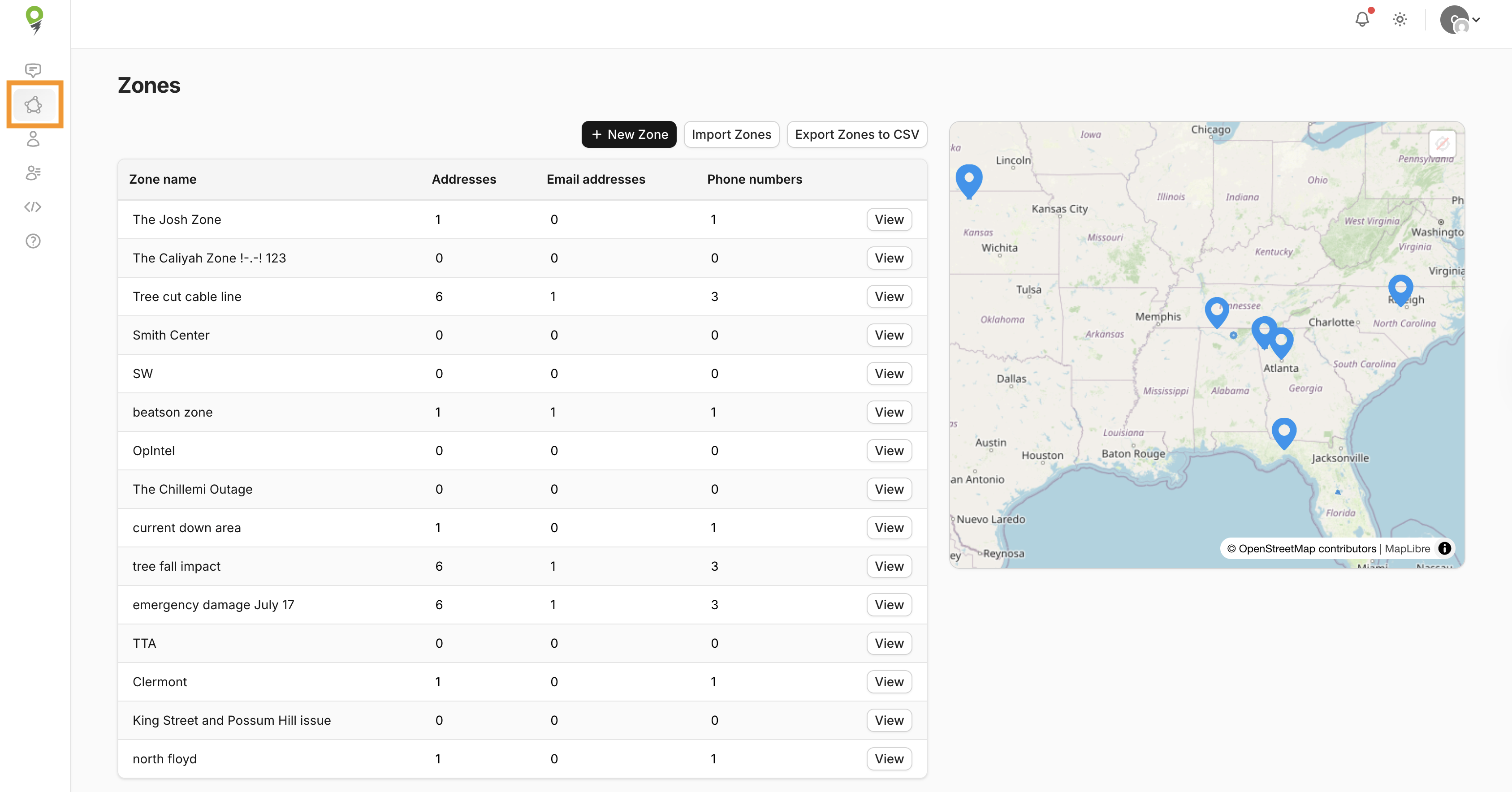
As you choose a zone, the map will zoom in on that particular zone and display the quantity of contacts within the zone.
When viewing a zone, editable fields such as Name, Status, and Tags are displayed as text fields. The zone boundary can be edited within this page also by utilizing the drawing tools displayed on the left side of the map.
Click here for more information on Creating Zones!
Contacts
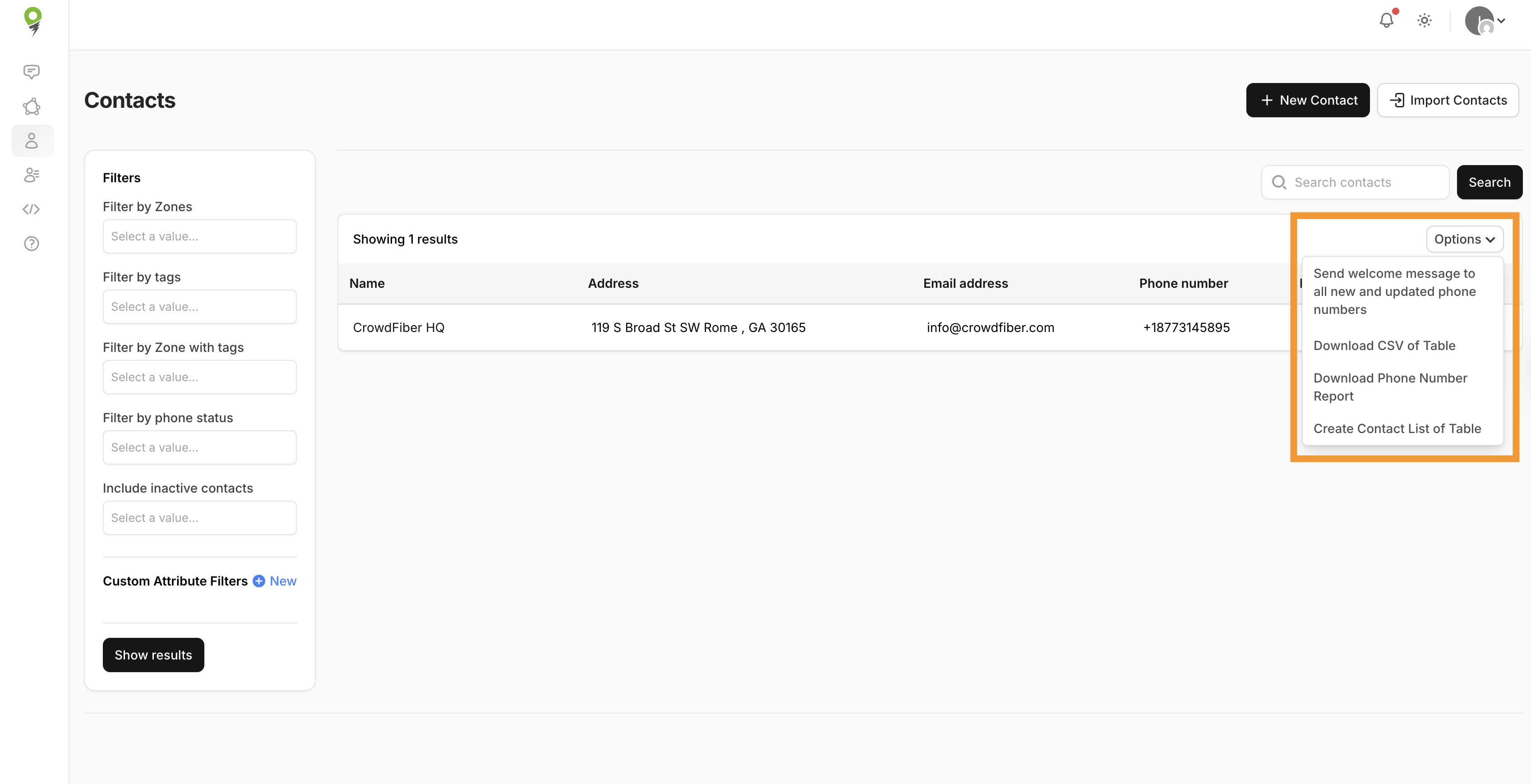
The Contacts page contains your contacts index, a variety of filtering capabilties, and is where you would access to create a new contact, import contacts, and view Custom Attributes.
Additionally, when navigating to the "More" dropdown, you have the following additional action items:
- Send welcome message to all new and updated phone numbers
- Download CSV of Table
- Download Phone Number Report
- Create Contact List of Table
Additional info on creating contacts can be found here.
Contact Lists
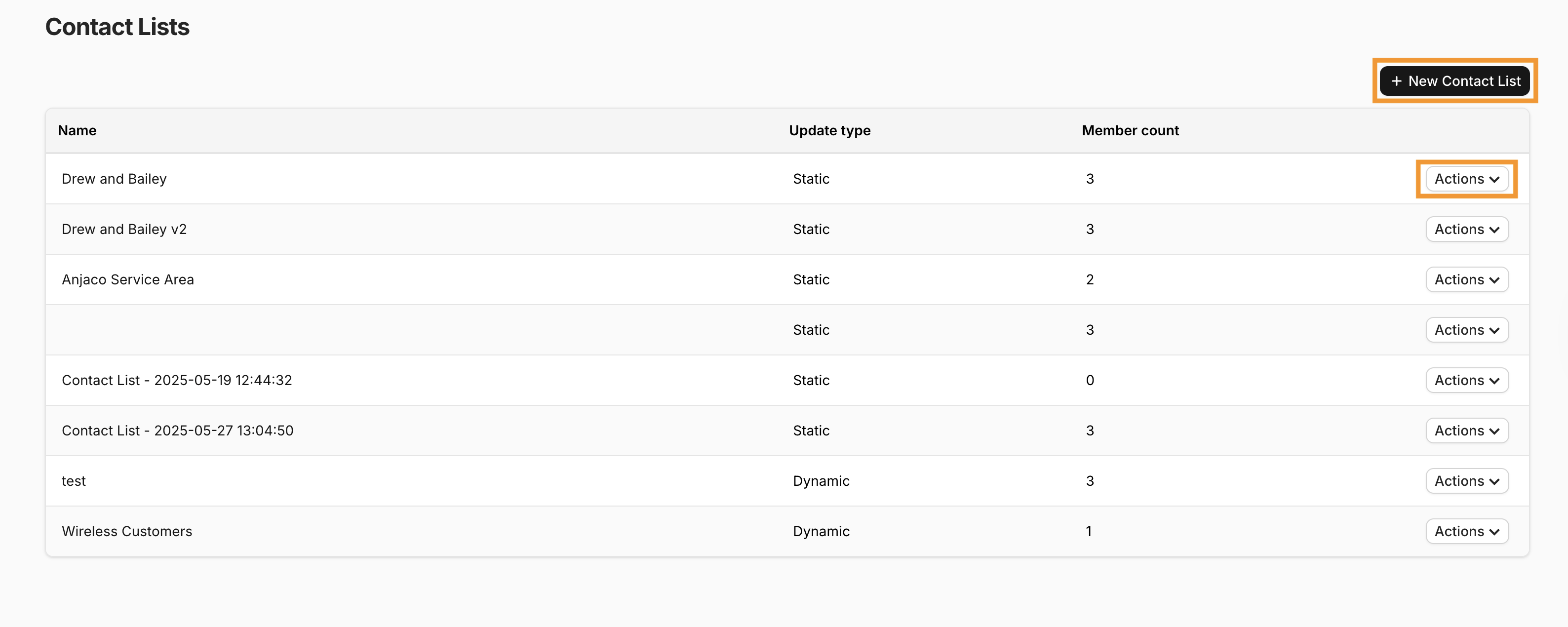
Within the Contact Lists page is an index of contact lists (with options to view or delete those!) and where new contacts lists may be created.
Widgets
In the Widgets page, an index of all existing Widgets are displayed with the ability to view them individually.
When viewing the widget, a code snippet is provided to embed your widget within your site.
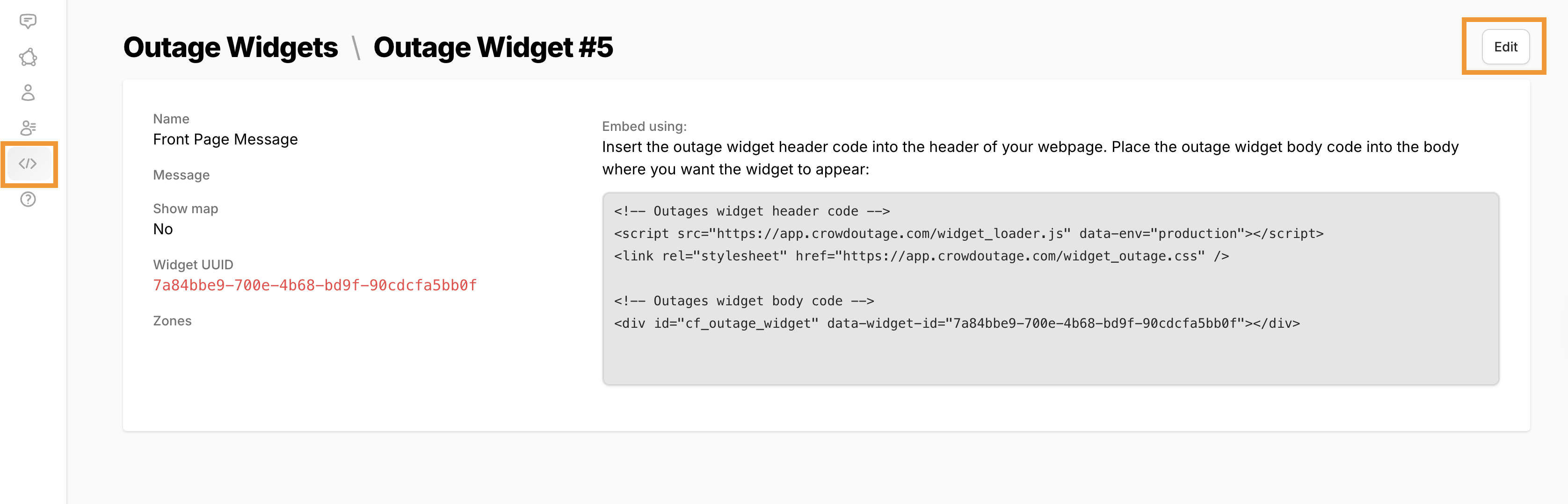
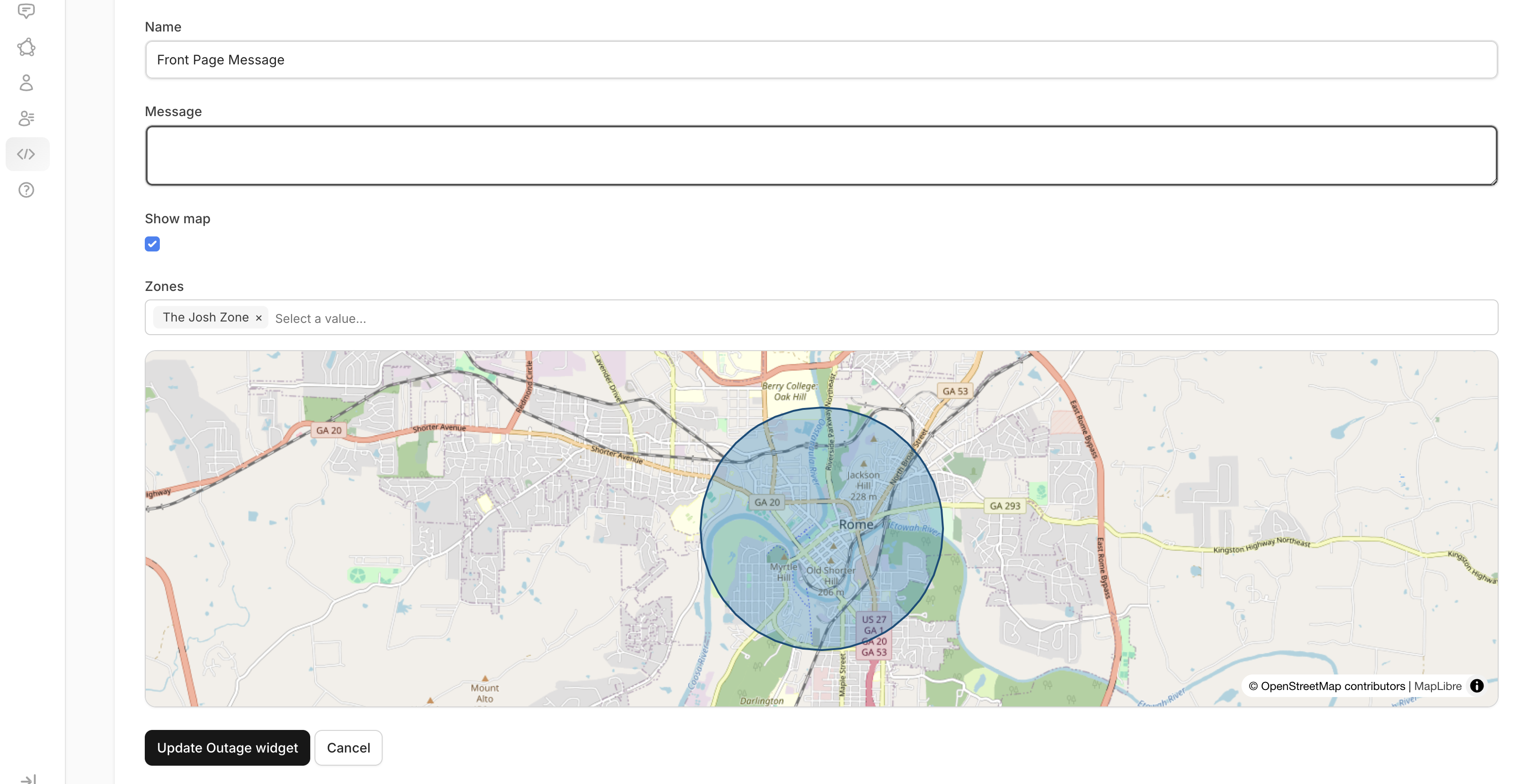
In this view, widgets may be edited as well!
For more info on creating widgets, click here!
Support
Navigating to the Support page will display this knowledge base where you will find help documentation regarding the features of CrowdConversations.